

Assess capacity honestly, prioritize the highest-impact work, cap how much runs at once, redistribute what's left, then measure and adjust. That sequence, in that order, fixes more workload problems than any single tool or app. Right now, before you do anything else, run a short capacity pulse: ask each person to list what they're actually carrying this week, not what's on the plan.
TL;DR:
- Running an honest capacity audit helps identify actual workload versus available hours, preventing optimistic estimates that lead to overload.
- Prioritization frameworks like Eisenhower, Ivy Lee, or the Pareto Principle should be applied separately to avoid extra overhead and improve focus on high-impact tasks.
- Cap work in progress with explicit limits and pilot this approach on one team for a short period to see measurable cycle time reductions before broader implementation.
- Visual work management tools such as shared Kanban boards facilitate team conversations, identify bottlenecks, and improve ownership clarity.
- Fix process-related bottlenecks first by removing low-value tasks and standardizing workflows; only then should additional headcount be considered if capacity issues persist.
Table of Contents
- What Are Workload Management Strategies, and Why Do They Matter?
- What Causes Workload Overload, and How Do You Spot It Early?
- What Are the Best Workload Management Strategies for Managers?
- How Do You Roll Out Workload Changes Over 30, 60, and 90 Days?
- Which Tools and Templates Help You Manage Workload Day to Day?
- How Does Strategy Haus Turn These Tactics Into Execution?
- When Should You Fix the System First, and When Do You Need More People?
- Ready to Move From Strategy to Execution?
- Sources
- FAQ
What Are Workload Management Strategies, and Why Do They Matter?
Workload management is the practice of matching the amount and type of work a team carries to the actual capacity and skills available to do it. Get that match wrong and you feel it fast: missed deadlines, tired people, work that quietly stalls in someone's queue for weeks.
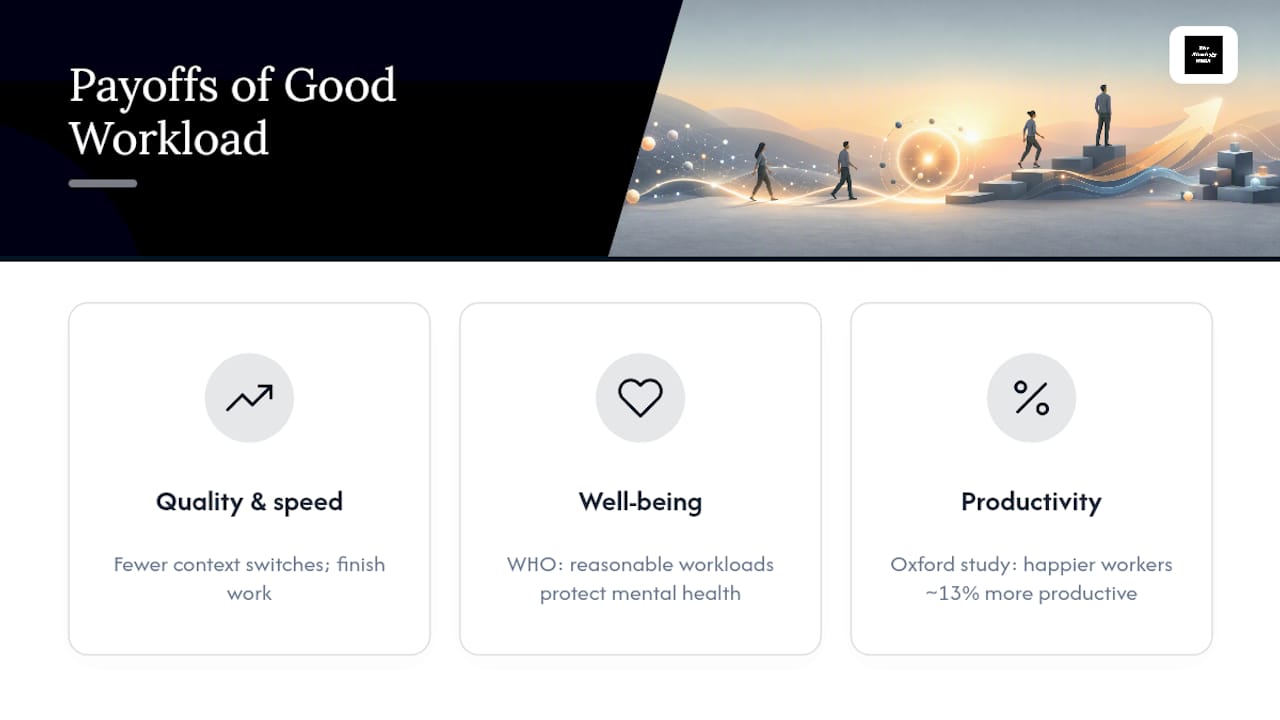
The payoff for getting it right shows up in three places. First, quality and speed both improve when people stop context switching between five half finished tasks and instead work one thing to completion. Second, well-being climbs. The World Health Organization treats workplace mental health as a genuine public health issue, and it specifically points to reasonable workloads and supportive policies as protective measures, not perks. Third, happier employees are measurably better at their jobs. Research from the University of Oxford found that happier workers were about 13% more productive than their less satisfied peers.
Better workload practices also shorten cycle time, the time it takes work to move from start to finish. Shorter cycles free up capacity that teams can redirect toward the strategic projects that got shelved during the last crunch. This is not a soft benefit. It's the difference between a team that reacts to fires all quarter and one that ships planned work on schedule.
What Causes Workload Overload, and How Do You Spot It Early?
Overload rarely comes from one bad decision. It builds from a handful of recurring habits that managers can name and fix once they know what to look for.
The most common root causes are:
- Poor planning that estimates effort optimistically and never accounts for interruptions or rework.
- Push scheduling, where new work gets assigned as soon as it's requested instead of when someone has room for it.
- Unclear scope, which forces people to redo work or guess at requirements mid-project.
- Skill mismatches, where tasks land on whoever is available rather than whoever is qualified.
- Meeting bloat, which eats hours that never show up on anyone's task list but disappears from the day anyway.
The warning signs tend to show up before anyone says a word. Watch for chronic overtime that's become normal instead of exceptional, deadlines slipping one after another, people jumping between four tasks without finishing any of them, and a kind of quiet disengagement where someone stops raising concerns because raising them never changed anything.
A quick diagnostic takes less than a day. Run a capacity audit comparing assigned hours to available hours, ask a few direct pulse questions in 1:1 meetings ("What's actually competing for your attention this week?"), and count how many times a person switches between unrelated tasks in a single day. That count alone often surprises managers.
What Are the Best Workload Management Strategies for Managers?
This is the working list. Each tactic below is something you can start this week, not next quarter.
1. Run an honest capacity audit before you assign anything
Most overload starts with a planning assumption that turns out to be wrong. IBM's guidance on workload management is blunt about this: planning that ignores what's actually happening on the ground, rather than what the org chart says should be happening, leads directly to overload. List every person's real, current commitments alongside their available hours.
2. Prioritize with a real framework, not gut feel
Three frameworks cover almost every prioritization situation a manager faces:
- The Eisenhower Matrix sorts tasks by urgency and importance, which is most useful for triaging a chaotic backlog fast.
- The Ivy Lee Method has each person write down six priorities for tomorrow, ranked, and work them in order without skipping ahead. James Clear's breakdown of the technique frames it as a forced single-tasking discipline, and that constraint is the entire point: limiting daily priorities improves focus and completion rates far more than an open-ended to-do list does.
- The Pareto Principle (the 80/20 rule) pushes teams to identify the small slice of work driving most of the value and protect time for it first.
Pick one. Running all three at once just adds another layer of overhead.
3. Cap work in progress instead of letting it flood in
Push scheduling, where new requests get assigned the moment they arrive, is one of the most reliable ways to bury a team. MIT Sloan's research on dynamic work design found that pull systems, where new work only starts once existing work finishes, expose the real bottleneck instead of hiding it behind a full queue. Setting an explicit WIP cap, for example, a small limit on the number of active projects per person, forces completion before new starts and can notably cut cycle times once the backlog stops growing invisibly.
Pro Tip: Pick one team and one week to pilot a WIP cap before rolling it out everywhere. A small, measurable pilot proves the value with far less risk than a company-wide mandate nobody agreed to.
4. Visualize the work on a shared board
A Kanban-style board with columns for backlog, in progress, blocked, and done gives everyone the same picture of where work actually stands. The real value isn't the board itself, it's the conversation it makes possible. Managers get more out of standups when they use the board to ask why something has been stuck for three days instead of just collecting status updates.
5. Delegate with clear ownership, not just more tasks
Delegation that works assigns a single owner, a defined scope, and a simple service level agreement (respond within a day, deliver within a week). Delegation that fails just redistributes chaos. If someone is overloaded, the fix is rebalancing what they carry, not stacking one more task onto an already full plate and calling it delegation.
6. Protect focus with time-boxing
Time blocking reserves specific calendar hours for specific work, which stops meetings from eating into deep-focus time by default. The Pomodoro Technique, working in 25-minute focused sprints with short breaks, works well for tasks that benefit from short bursts of concentration. Atlassian's overview of time management techniques notes that these tactics work best paired with system-level changes like WIP limits, not as a substitute for them. A resource like theNeedle's piece on single-tasking makes a similar point: the discipline of doing one thing at a time beats any productivity app on its own.
7. Standardize repetitive work with templates and checklists
Recurring work that gets solved fresh every time wastes hours and invites mistakes. Standardizing it with a template or checklist reduces cognitive load and prevents the same errors from repeating, a point IBM's workload research backs directly.
8. Automate or cut the low-value admin
Every team has recurring administrative tasks that add friction without adding value, manual data entry, redundant approval steps, status meetings that could be a two-line message. A tool built for a specific workflow, like BidBlock for reducing administrative load in bidding processes, shows what this looks like in practice: identify the repetitive task, automate the parts that don't need human judgment, and reclaim the hours.
9. Renegotiate scope before you renegotiate headcount
When capacity is genuinely constrained, the fastest fix is often trimming scope or extending a deadline, not adding people. Talk to stakeholders early about what can wait.
10. Track a small set of leading indicators
Cycle time, flow efficiency, and utilization rate are useful metrics among many to track workload health. Watch them weekly, not quarterly, so you catch drift before it becomes a crisis.
11. Build a weekly planning rhythm with short daily check-ins
A 15-minute weekly planning session plus brief daily check-ins keeps priorities visible without adding meeting bloat.
12. Cut app-switching and meeting bloat deliberately
Every recurring meeting should justify its slot on the calendar. If it's not driving a decision, it's a candidate for cutting or shortening.
13. Build in buffers and recovery time
Reasonable deadlines and planned slack aren't indulgent, they're what keeps a team from burning out mid-project. The WHO's guidance on protecting workplace mental health treats this as a baseline expectation, not an extra.
How Do You Roll Out Workload Changes Over 30, 60, and 90 Days?
Trying to fix everything in week one guarantees nothing sticks. A phased rollout gives each change time to prove itself before you layer on the next one.
Days 1 to 30:
- Run the capacity audit and compare assigned hours to real availability.
- Pilot a WIP cap with one team for a two to four week window.
- Cut one or two low-value recurring tasks or meetings immediately.
Days 31 to 60:
- Introduce a shared board across the wider team, not just the pilot group.
- Set prioritization rules everyone follows (pick one framework from the list above).
- Standardize two of your most repeated workflows into templates.
- Train the team on pull principles and why WIP limits exist.
Days 61 to 90:
- Start measuring cycle time and flow efficiency weekly.
- Iterate on whatever the data shows is still slow.
- Automate at least one manual handoff or admin step.
Track these metrics throughout: average cycle time, WIP count per person, and percentage of deadlines met without overtime. Keep a short risk checklist too, watch for teams quietly ignoring the WIP cap, stakeholders bypassing the prioritization process, or a rollout that's moving faster than people can absorb.
Which Tools and Templates Help You Manage Workload Day to Day?
The right tool depends on what's breaking. A Kanban board fixes visibility problems. A capacity spreadsheet fixes planning problems. A time-blocking calendar fixes focus problems. None of them fix a problem they weren't built for, so match the tool to the actual gap first.
- Kanban boards work best when a team's biggest issue is invisible work in progress or unclear ownership.
- Capacity spreadsheets work best during planning cycles, before commitments get made, not after.
- Time-blocking calendars work best for individuals fighting constant interruptions.
- Light workload trackers work best for small teams that don't need enterprise software overhead.
Whatever board you build, configure it with a WIP column that caps entries, skill tags so work routes to the right person, and a buffer time field so estimates include realistic slack.
A simple capacity planning template needs just five fields to be useful:
| Field | What it captures |
|---|---|
| Role | The person or function being planned for |
| Available hours | Real hours free for assigned work per week |
| Assigned work hours | Total hours committed across active tasks |
| Buffer | Hours reserved for interruptions and unplanned work |
| Utilization % | Assigned hours divided by available hours |
How Does Strategy Haus Turn These Tactics Into Execution?
Tactics only work when someone owns the follow-through. That's the gap most workload advice leaves open: plenty of guides tell you to cap WIP or run a capacity audit, but few explain how to make that change stick past week two.
A specialized consulting framework was built around exactly that gap. The approach involves three stages: aligning priorities so the team agrees on what matters, building systems and templates to make the process repeatable, and maintaining engagement through implementation instead of handing off a plan and walking away.
.
After such an engagement, outcomes managers may track include:
- Shorter average cycle time on core workflows.
- Fewer missed deadlines tied to unclear ownership.
- A measurable drop in overtime hours per team member.
- Higher team-reported clarity on priorities in follow-up surveys.
When Should You Fix the System First, and When Do You Need More People?
Most managers reach for headcount first. That's usually the wrong move, and it's an expensive way to find out.
If a bottleneck is process-driven, meaning work is stuck because of unclear handoffs, no WIP limits, or ambiguous ownership, fixing the system will free up more capacity than hiring will. I've watched teams add a person to a broken pipeline only to discover the new hire inherits the same chaos everyone else is drowning in. Nothing improves. The queue just gets one more person stuck in it.
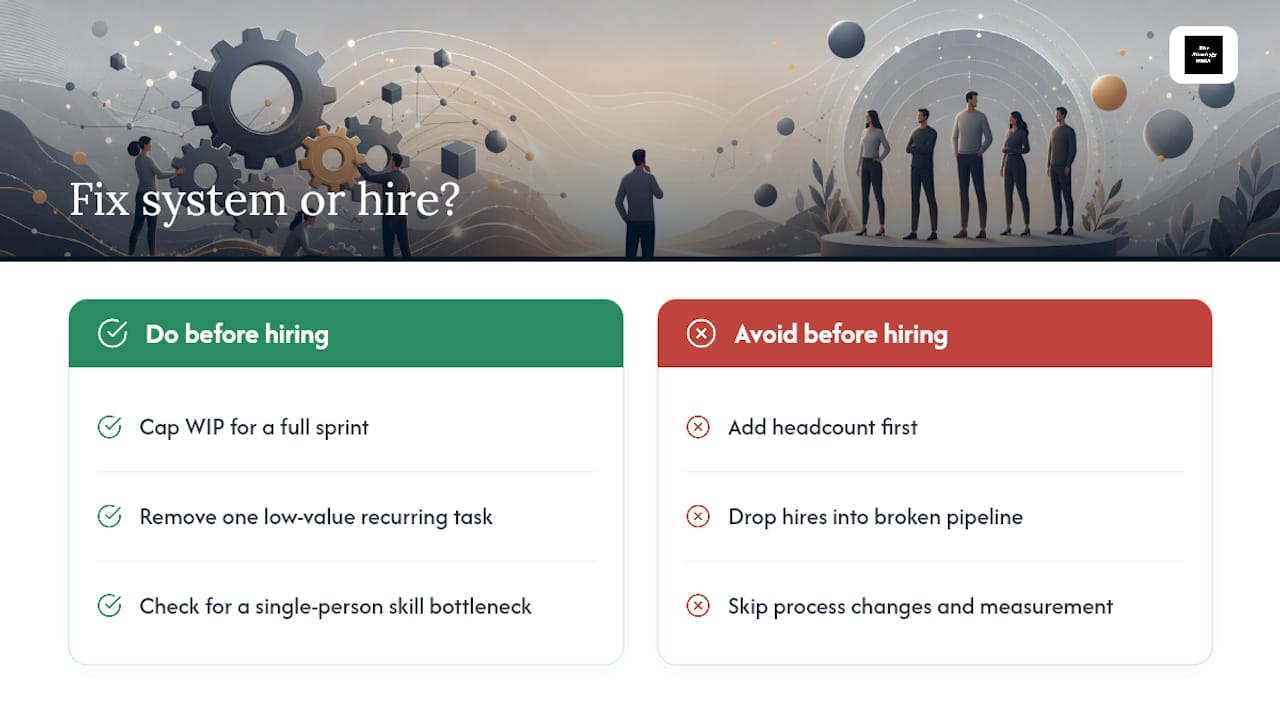
People fixes make sense only after you've genuinely tried the system fix and the shortfall persists. If you cap WIP, standardize the recurring work, and cut the meeting bloat, and the team is still underwater, that's a real capacity gap, not a process gap.
A short checklist before you commit to either path: Has the team tried a WIP cap for at least a full sprint? Have you removed at least one low-value recurring task? Have you checked whether the bottleneck sits with one person's skill set rather than the whole team's capacity? If the answer to any of those is no, fix the system before you touch the org chart.
— Ashanti
Ready to Move From Strategy to Execution?
Most managers don't fail at workload management because they lack ideas. They fail because the plan dies somewhere between the whiteboard and the next sprint. Execution support that stays through the build and rollout can help turn capacity audits, WIP caps, and prioritization rules into systems that survive contact with a busy quarter.

Engagements often cover strategy-to-execution planning, templates and systems that make new processes repeatable, and hands-on support while teams adjust to the new rhythm. This can lead to clearer priorities, fewer stalled handoffs, and measurable improvements in cycle time, beyond just a plan document. If your team's workload problems have outgrown a quick fix, start by reviewing Thestrategyhaus's business strategy and project management services and book a conversation about what execution support would look like for your specific bottleneck.
Sources
- How dynamic work design can prevent overload | MIT Sloan
- What is Workload Management? | IBM
- Mental health at work | WHO
- Happy workers are 13% more productive | University of Oxford
- The Ivy Lee Method: The daily routine for peak productivity
FAQ
What Are the 4 D's of Workload Management?
The 4 D's are typically do, delegate, defer, and delete, a quick filter for deciding what to act on now, hand off, schedule later, or cut entirely.
What Is the Best Way to Manage Workload?
Start with an honest capacity audit, prioritize using a framework like the Eisenhower Matrix or Ivy Lee Method, then cap work in progress so tasks finish before new ones start.
What Is a Five-Step Guide to Workload Management?
A practical five-step version runs: assess capacity, prioritize the work, limit work in progress, delegate or redistribute what's left, then measure and adjust based on cycle time and utilization.
What Is a Workload Management System?
It's the combination of tools and processes, like shared boards, capacity trackers, and WIP limits, that a team uses to match work volume to real capacity and keep tasks moving instead of piling up.