

A risk register is the working list of project threats and the actions to manage them. It tracks what could go wrong, how bad it would be, and who owns the fix. This article gives you a copyable template, seven fully populated example rows, scoring guidance, and a setup checklist you can put to work today.
TL;DR:
- Risks with a score of 10 or higher require immediate escalation and specific actions, such as mitigation or reassignment, to prevent project delays.
- Using a 1–5 scoring scale for probability and impact helps clearly prioritize risks, with scores above 15 often classified as critical and demanding urgent attention.
- Pre-populating the register with known risks and conducting participatory scoring workshops ensure better calibration and ownership clarity across the team.
- Concrete next steps, owned by specific individuals and with a review date, are essential; vague actions lead to a dormant risk register.
- Regular, layered reviews—weekly, biweekly, and monthly—maintain the register's relevance and prevent it from becoming an outdated, ineffective document.
Table of Contents
- Risk Register Examples Start With the Right Fields
- Seven Filled Risk Register Examples You Can Copy
- How to Calculate and Interpret Risk Scores
- Setting Up a Register That Actually Gets Used
- Risk Register Categories by Industry
- Governance and the Mistakes That Quietly Kill a Register
- Why a Living Register Changes Project Outcomes
- Turning Templates Into Execution With Strategy Haus
- Templates and Guidance Worth Downloading
- Sources
- FAQ
Risk Register Examples Start With the Right Fields
A risk register only works if it captures the right information in a format people can actually use under pressure. Skip a field and you get vague entries nobody can act on. Add too many and the register becomes a chore that project teams quietly stop updating. The canonical structure, drawn from widely used risk register templates, includes a consistent set of columns you should treat as the baseline before adding anything custom.
Here's what each core field does and why it earns its place:
- Risk ID: A short code (R001, R002) that lets you reference a risk in meetings without retyping the whole description.
- Description: Written in "If... then" format so the cause and consequence are both explicit, not implied.
- Category: Groups risks by type (schedule, supplier, technical, compliance, resource) so patterns show up in reporting.
- Probability: How likely the risk is to occur, usually scored 1 to 5.
- Impact: How severe the consequence would be if it happened, also scored 1 to 5.
- Score: Probability multiplied by impact, giving you a single number to rank and sort by.
- Owner: One named person, never a team or department, responsible for watching and acting on the risk.
- Response strategy: Avoid, mitigate, transfer, or accept. Pick one and say why.
- Actions: The specific steps the owner is taking right now, not a general intention.
- Status: Open, in progress, closed, or escalated to issue.
- Review date: The next date this specific risk gets reassessed, not a blanket project date.
The "If... then" description format deserves extra attention because it's the single biggest quality difference between a useful register and a list of worries. "Supplier might be late" tells nobody anything actionable. "If the steel supplier misses the March 15 delivery date, then the framing schedule slips by two weeks and the concrete crew sits idle" gives you a cause, a trigger date, and a quantified consequence. Practitioners consistently recommend this conditional phrasing because it forces whoever writes the entry to think through the actual mechanism of failure, not just name a fear.
Most teams also choose between two scoring approaches: a numeric 1–5 scale or a simple Low/Medium/High label. The numeric scale supports real math, heat maps, and trend tracking over time. The Low/Medium/High version is faster to fill in and easier for executives to skim, but it loses precision when two "High" risks need to be ranked against each other. If your project reports up to a steering committee that wants a single dashboard number, use the 1–5 scale. If the register is mostly an internal working document for a small team, Low/Medium/High is often enough.
For projects with more moving parts, several optional columns add real operational value without turning the register into a spreadsheet nobody opens:
- Residual probability and residual impact: The expected exposure after your mitigation actions take effect, which makes oversight conversations far more honest than pretending the raw score still applies once you have a plan in place.
- Dependencies: Links to other risks or tasks that would be triggered if this one materializes.
- Linked issues: A pointer to the issue log entry created once a risk actually happens.
- Stakeholder visibility: Who outside the core team needs to know if this risk escalates.
- SLA or contractual triggers: Specific clauses or deadlines that convert a risk into a contractual breach.
Pro Tip: Add the residual score columns even if you think your project is too simple to need them. The moment a stakeholder asks "so are we still exposed after the mitigation?" you'll want an answer that isn't a shrug.
Seven Filled Risk Register Examples You Can Copy
Generic templates only get you so far. What actually saves time is seeing how real entries read once someone has filled in the wording, the numbers, and the ownership. Below are seven populated rows spanning the categories most projects run into: schedule, supplier, technical, compliance, and resource risk. Adapt the phrasing, don't just copy the category.
| ID | Description | Category | Prob. | Impact | Score | Owner |
|---|---|---|---|---|---|---|
| R001 | If the electrical subcontractor's permit approval is delayed past April 10, then rough-in work slips by 10 business days | Schedule | 3 | 4 | 12 | Site superintendent |
| R002 | If the primary steel supplier can't confirm delivery by March 15, then framing starts late and the concrete crew sits idle for an extended period | Supplier | 3 | 5 | 15 | Procurement lead |
| R002 | If the third-party payment API's rate limits aren't documented before integration, then checkout testing may reveal a redesign is needed mid-sprint | Technical | 4 | 3 | 12 | Lead engineer |
| R004 | If updated data-residency rules take effect before migration completes, then customer records may need reprocessing to stay compliant | Compliance | 2 | 5 | 10 | Compliance officer |
| R005 | If two senior developers are pulled onto the client escalation next month, then the sprint velocity for the core release drops significantly | Resource | 4 | 4 | 16 | Delivery manager |
| R005 | If the client's legal review of the master services agreement runs past the kickoff date, then billable work can't formally start on schedule | Schedule | 3 | 3 | 9 | Account director |
| — | If the staging environment's load test results aren't available before the go/no go review, then the launch decision gets made without performance data | Technical | 2 | 4 | 16 | QA lead |
Each of these rows carries the operational detail a status meeting actually needs:
- R002 (supplier risk) shows Status: "In progress, mitigation underway" with Actions: "Secondary supplier quote requested; delivery confirmation due March 1," and a review date of March 5.
- R005 (resource risk) shows Response strategy: "Mitigate," with Actions: "Cross-training a mid-level developer as backup; renegotiating escalation coverage with client," reviewed every Friday.
- R004 (compliance risk) shows Response strategy: "Avoid," Actions: "Legal counsel engaged to confirm effective date; migration plan paused pending confirmation," reviewed biweekly with the compliance officer as the single point of accountability.
Notice none of these entries say "monitor the situation" as an action. Every one names a concrete next step with a person attached to it. That's the difference between a register that gets read in the meeting and one that gets skimmed and closed.
How to Calculate and Interpret Risk Scores
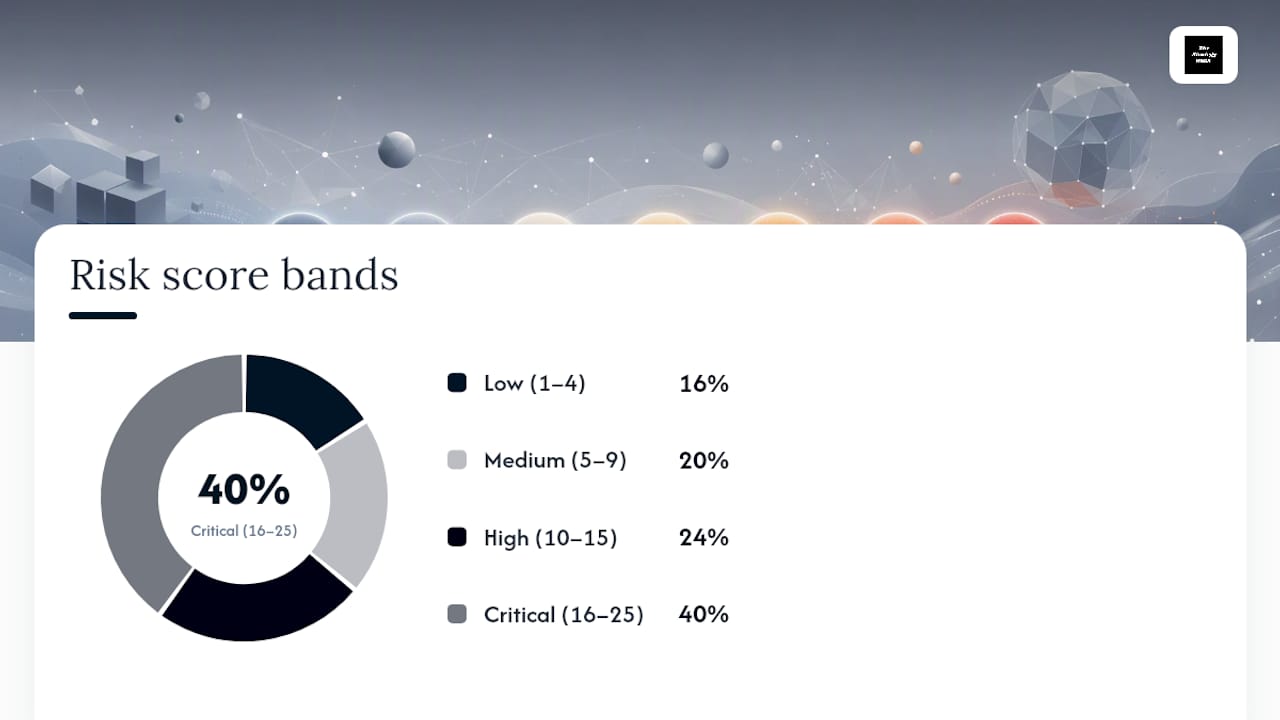
Risk score is Probability multiplied by Impact, and it's the single number that lets you rank fifteen unrelated risks against each other without an argument. A risk scored 3 for probability and 4 for impact carries a score of 12. Most templates use a 1–5 scale for both factors, which produces a 5×5 heat map with scores ranging from 1 to 25.
Mapping those scores to action bands is where teams tend to disagree, but a common structure looks like this:
- 1 to 4 (Low): Monitor. No immediate action required, but keep it on the register.
- 5 to 9 (Medium): Plan. Assign an owner and a mitigation action with a deadline.
- 10 to 15 (High): Act. Escalate to the project lead and review weekly until the score drops.
- 16 to 25 (Critical): Act immediately. Escalate to the steering committee and consider it a blocker to the current phase.
A working example: R005 above scores 16, landing squarely in the Critical band. That single number is why the delivery manager didn't wait for the weekly meeting to act on it. It went straight to a cross-training plan the same day the score was calculated.
The 5×5 heat map maps directly onto these bands, with color coding (usually green, yellow, orange, red) making it easy to spot the two or three risks that actually need executive attention out of a list of thirty. Where teams get this wrong is treating every risk above 9 as equally urgent when a score of 10 and a score of 15 need very different response speeds.
Calibration is the part most registers fail at quietly. Two project managers scoring the same supplier delay risk should land on roughly the same number, but in practice one person's "probable" is another's "almost certain." A few habits keep scoring consistent across a program:
- Write a one-sentence definition for each probability and impact level (what does "4" actually mean for this project) and post it next to the register, not buried in a separate document.
- Score risks in pairs or small groups during the initial workshop rather than solo, so calibration happens by discussion instead of by guesswork.
- Cross-check scores at each steering committee review. If a risk has sat at "Medium" for three months with no movement, ask whether the score was ever accurate.
- Watch for score inflation, where owners nudge every risk toward "High" so nobody questions their diligence. It defeats the entire point of ranking.
Setting Up a Register That Actually Gets Used
A risk register that only gets touched at kickoff is worse than no register at all. It gives false confidence. Building one that survives past week two takes a specific sequence, not just a template.
- Pre-populate before the kickoff meeting. Pull recurring risks from past similar projects (the same supplier that was late last time, the same permit office that's always slow) and seed the register before anyone sits down. Pre-populating a register with known risks meaningfully reduces setup time and gets the team past the blank-page problem.
- Run a scoring workshop, not a solo exercise. Bring the core delivery team into one session, walk through each risk, and agree on probability and impact together. This is where calibration actually happens.
- Assign one owner per risk, by name. Never assign a team or a department. If ownership is unclear, that ambiguity itself becomes a risk worth logging.
- Set a review cadence and stick to it. A workable rhythm is weekly at the team level, fortnightly with the project manager, and monthly with the steering committee. That layered cadence keeps owners accountable without turning every risk into a standing agenda item forever.
- Decide when a risk graduates to an issue. The moment probability hits certainty, the entry should move from the risk register to the issue log, with a note on what triggered the conversion and when.
- Archive closed risks instead of deleting them. A short lessons-learned note attached to each closed risk becomes the seed list for your next project's pre-populated register.
How much structure you need scales with the project. A four-person internal tool build might run a lightweight register in a shared spreadsheet with eight or ten rows, reviewed at the weekly standup. A multi-vendor infrastructure rollout with regulatory exposure needs the full field set, a dedicated scoring workshop, residual score tracking, and a steering committee reporting pack. Match the register's weight to the project's actual complexity, not to what looks impressive in a template gallery.
Pro Tip: If a risk hasn't changed status in two consecutive review cycles, that's a signal to either escalate it or question whether the score was ever right. Stale rows are how registers quietly lose credibility.
Risk Register Categories by Industry
The core template holds up across sectors, but the risk categories that dominate each register, and who owns them, shift depending on the kind of work. Different project types also call for different register scope: a single project register focuses on timeline, budget, and quality, while a program-level register has to consolidate shared threats across several linked projects.
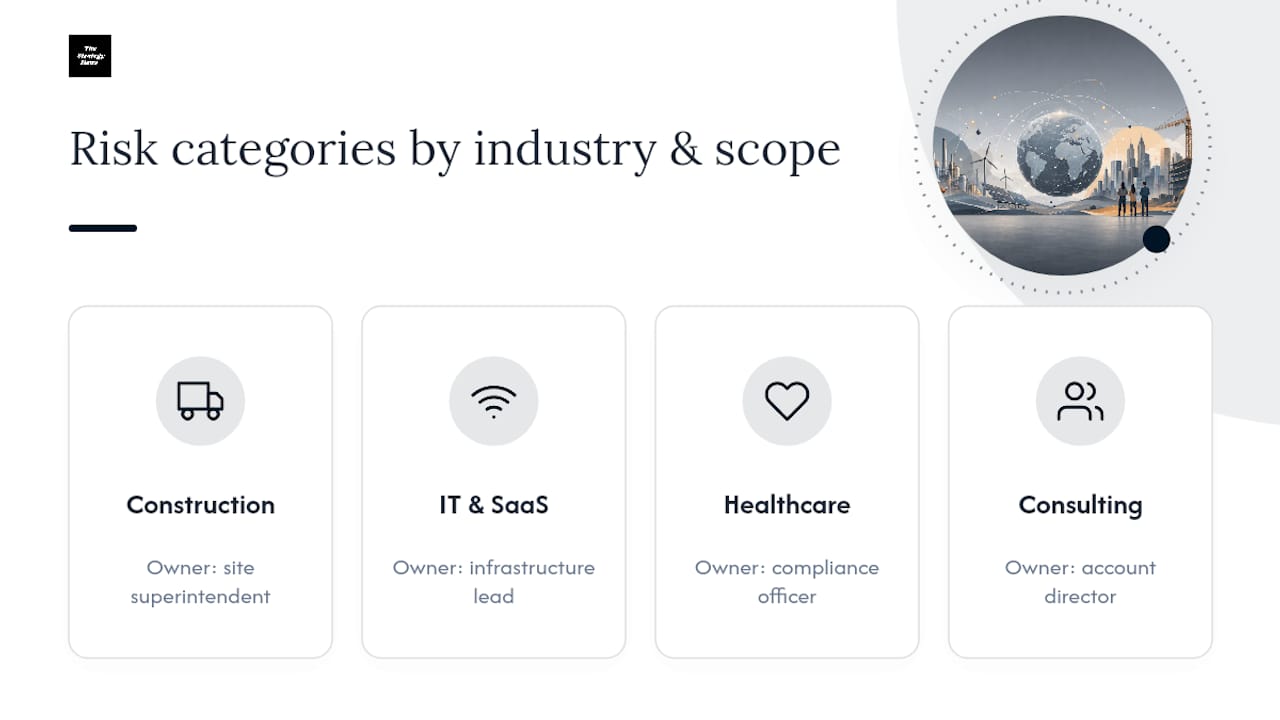
Construction. Weather delays, permit approval timing, and subcontractor availability dominate the schedule category, while material price volatility and safety incidents round out the rest. A typical entry: "If concrete pour is delayed past the forecasted dry window, then curing time extends the foundation phase by 5 days" (owner: site superintendent). A second: "If the OSHA-required fall protection inspection isn't scheduled before scaffolding goes up, then the crew can't legally begin exterior work" (owner: safety officer). Guidance from OSHA's hazard resources is worth consulting directly whenever a construction risk touches worker safety, since register entries should reference the applicable standard rather than paraphrase it loosely. Property-focused teams often benefit from seeing how risk ownership gets structured in adjacent real estate and property risk contexts, where trigger definitions and response plans follow a similar logic.
IT and SaaS. Integration risk, third-party API dependency, and data security dominate. Example: "If the cloud provider's SLA uptime drops below 99.9% during the migration window, then the customer-facing rollback plan gets triggered" (owner: infrastructure lead). A second: "If a critical CVE is disclosed for a dependency in the auth service, then patching work displaces the current sprint's planned features" (owner: security lead).
Healthcare. Compliance and patient-safety risk carry the most weight, often with mandatory escalation paths baked into the owner's role. Example: "If a new data-residency requirement takes effect before the EHR migration completes, then patient records may need reprocessing" (owner: compliance officer). A second: "If staffing falls below the minimum nurse-to-patient ratio during the transition, then a safety incident report is triggered automatically" (owner: clinical operations manager).
Professional services and consulting. Scope creep, client-side approval delays, and resource reallocation across concurrent engagements are the recurring themes. Example: "If the client's legal review of the statement of work runs past the agreed start date, then billable resources sit unallocated" (owner: account director). Consulting teams working across development or investment-adjacent engagements sometimes see this cross into investor and commercial risk territory, where the same conditional logic applies to financial exposure instead of delivery timelines.
Governance and the Mistakes That Quietly Kill a Register
A risk register fails less often because of bad templates and more often because of weak governance around it. The document is fine. Nobody enforces the discipline around it.
Ownership clarity is the first thing to lock down. Every risk needs exactly one named owner, and that person needs the authority to actually act, not just the responsibility to report. Decision thresholds matter just as much: agree in advance which score triggers a steering committee escalation versus a quiet weekly update, so nobody has to guess in the moment.
The recurring pitfalls show up in almost every stalled register:
- Vague wording ("supplier delays," "budget concerns") that describes a category, not an actual risk. Fix it by enforcing the "If... then" format at entry, not at review.
- Missing or shared ownership, where "the team" is listed as owner and nobody feels accountable. Fix it by rejecting any new row without a named person.
- Infrequent review, where risks sit untouched for a month and the register becomes a historical document instead of a working one. Fix it with the layered weekly, fortnightly, monthly cadence.
- Score inflation or deflation, where owners consistently overstate or understate scores to avoid scrutiny. Fix it with periodic cross-checks against actual outcomes.
A simple execution checklist keeps all of this from becoming theory: run the initial scoring workshop with the full delivery team present, onboard every new owner with a five-minute walkthrough of what "owning" a risk actually requires, define two or three dashboard KPIs (open critical risks, average days a risk sits at "High" or above, percentage of risks reviewed on schedule), and package that into a one-page reporting pack for the steering committee instead of handing over the raw spreadsheet.
Pro Tip: If your steering committee reporting pack takes longer to build than the actual review meeting, your register's fields are too complicated for the audience reading them. Simplify the dashboard, not the underlying data.
Why a Living Register Changes Project Outcomes
Projects that treat the risk register as a living decision tool, not a compliance artifact, consistently catch problems while they're still cheap to fix. The difference shows up in what an owner does the day a score crosses into "High," not in how detailed the template looks at kickoff.
I've seen a supplier delay risk, logged in week one with a score of 12, get escalated the moment the delivery confirmation slipped by three days. Because the procurement lead had a secondary supplier quote already sitting in the "Actions" field, the team pivoted in under a week instead of discovering the gap when the concrete crew showed up with nothing to pour. The register didn't prevent the delay. It made the response fast enough that the delay never reached the client-facing schedule.
That's the real test of a register: does it change a decision before the risk becomes an issue? Keep every entry tied to an owner, a next action, and a review date, and the document earns its place in your weekly meeting instead of gathering dust in a shared drive.
— Ashanti
Turning Templates Into Execution With Strategy Haus
A template gets you organized. It doesn't get a steering committee to actually act on a Critical-scored risk before it becomes next quarter's postmortem. Consultants can help project and program teams turn the register from a document into an operating habit, building the scoring workshop, the ownership model, and the dashboard your leadership actually reads.

Typical consulting engagements may cover a working template built around your actual project categories, a facilitated scoring workshop to calibrate probability and impact across the team, governance rules that define who escalates what and when, and a simple dashboard that turns raw rows into a reporting pack your steering committee can read in five minutes. Such support tends to fit PMOs, program leads, and product delivery teams juggling more risks than any single spreadsheet owner can chase down alone. If your register keeps stalling after the first two weeks, that's usually a sign the setup needs a facilitator, not a better spreadsheet. Reach out through the implementation and systems setup page to talk through what a working session would look like for your project.
Templates and Guidance Worth Downloading
A few external resources are worth pulling directly rather than rebuilding from scratch. The UCOP risk register template offers a university-grade field structure with built-in instructions. The Sikhana Seekho template provides auto-scoring, RAG coloring, and pre-filled example rows in Excel, Sheets, and PDF formats. For compliance-heavy sectors, the aged-care quality authority's example shows governance-oriented phrasing worth borrowing. Use any of these as a starting structure, then adapt the fields to your project's actual scale.
Sources
- Risk Register: What It Is and How to Build One (Template)
- Risk Register Template: Free Download + Complete Guide
- Risk Register Template
FAQ
What Should Be in a Risk Register?
A risk register should include a Risk ID, a description written in "If... then" format, category, probability, impact, a calculated score, an owner, response strategy, specific actions, status, and a review date. This core field set applies whether you're running a small internal project or a multi-vendor program.
What Are 5 Examples of Risk?
Common project risk categories include schedule risk (a permit or delivery delay pushing back a milestone), supplier risk (a vendor missing a shipment date), technical risk (an integration failing under real load), compliance risk (a new regulation requiring rework), and resource risk (key staff pulled onto another priority mid-sprint). Each should be logged with a specific "If... then" statement rather than a vague label.
What Are the 7 Types of Risks in Project Management?
Definitions vary by organization, but a commonly used set includes schedule, cost, scope, technical, resource, supplier or vendor, and compliance or regulatory risk. Some registers add a separate stakeholder or communication category when client approvals or sponsor alignment repeatedly cause delays.
How Do You Calculate a Risk Score?
Risk score equals probability multiplied by impact, typically using a 1 to 5 scale for each factor, producing a score between 1 and 25. Most teams map scores into bands: 1 to 4 as Low (monitor), 5 to 9 as Medium (plan), 10 to 15 as High (act), and 16 to 25 as Critical (escalate immediately).
How Often Should a Risk Register Be Reviewed?
A workable cadence reviews risks weekly at the team level, fortnightly with the project manager, and monthly with the steering committee. This layered review rhythm keeps owners accountable and prevents the register from going stale between major milestones.